English
 Arabic
 French
 Spanish
 Portuguese
 Deutsch
 Turkish
 Dutch
Dutch
 Italiano
 Russian
 Romaian
 Portuguese (Brazil)
 Greek
Greek
Rajabandot dan Tren Digital yang Terus Berkembang
E-commerce |
2026-05-30 05:55:17
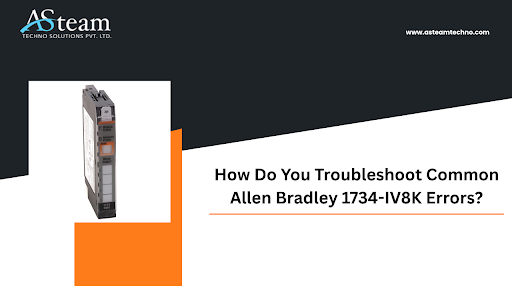
Industrial automation systems rely heavily on accurate input modules to maintain seamless operations. The Allen Bradley 1734-IV8K is a widely used POINT I/O digital input module designed to monitor and process input signals in manufacturing and process control environments. While this module is known for its reliability and performance, users may occasionally encounter operational issues that can impact productivity.
Understanding how to identify and troubleshoot common Allen Bradley 1734-IV8K errors can help minimize downtime, improve system efficiency, and extend equipment lifespan. This guide explores the most frequent problems associated with the Allen Bradley 1734-IV8K and provides practical troubleshooting solutions.
The Allen Bradley 1734-IV8K is an 8-channel, 24V DC sinking input module that forms part of the POINT I/O family. It is commonly integrated into industrial control systems where space-saving and flexible I/O configurations are required.
The module continuously monitors field devices such as sensors, switches, and limit switches, transmitting critical status information to programmable logic controllers (PLCs). Because it plays a vital role in data acquisition, even minor faults can disrupt entire production processes.
One of the most common issues users face with the Allen Bradley 1734-IV8K is the controller failing to recognize the module.
Incorrect module configuration
Damaged communication backplane
Improper installation
Firmware compatibility issues
Verify that the Allen Bradley 1734-IV8K is correctly seated on the POINT I/O base.
Check the controller configuration in Studio 5000 or RSLogix software.
Confirm that the module catalog number matches the configured hardware.
Inspect the backplane connections for physical damage.
Ensure firmware versions are compatible with the control system.
If the controller still cannot detect the Allen Bradley 1734-IV8K, replacing the base module may help isolate the issue.
Sometimes individual channels on the Allen Bradley 1734-IV8K may fail to register incoming signals.
Faulty sensor wiring
Damaged input terminal
Failed field device
Electrical noise interference
Inspect all field wiring for loose or broken connections.
Use a multimeter to verify voltage at the affected channel.
Test the sensor independently to confirm proper operation.
Swap the field device with a known working device.
Route signal cables away from high-voltage power lines.
Regular inspection of wiring helps prevent recurring Allen Bradley 1734-IV8K channel issues.
A red module status LED often indicates a fault condition requiring immediate attention.
Hardware malfunction
Internal module failure
Configuration mismatch
Excessive voltage conditions
Power cycle the system.
Review controller diagnostics and fault logs.
Verify supply voltage remains within recommended limits.
Remove and reinstall the Allen Bradley 1734-IV8K.
Replace the module if the fault persists.
Monitoring fault codes can provide additional insight into the exact source of the problem.
Inconsistent signal readings can lead to inaccurate machine operation and unexpected production interruptions.
Loose terminal connections
Electromagnetic interference (EMI)
Sensor degradation
Unstable power supply
Tighten all wiring terminals.
Check grounding and shielding practices.
Replace aging or damaged sensors.
Verify stable 24V DC power delivery.
Review environmental conditions around the installation area.
Many intermittent Allen Bradley 1734-IV8K issues stem from poor wiring practices rather than module defects.
Communication faults can prevent the Allen Bradley 1734-IV8K from exchanging data with the controller.
Network interruptions
Damaged communication adapters
Incorrect network configuration
Backplane connection issues
Check the status of the communication adapter.
Verify network settings and node addresses.
Inspect Ethernet or DeviceNet cables.
Review communication diagnostics within the PLC software.
Replace suspected communication hardware if necessary.
Maintaining healthy network infrastructure significantly reduces Allen Bradley 1734-IV8K communication problems.
Some users report input points appearing active even when no field signal is present.
Electrical noise
Grounding problems
Wiring cross-talk
Incorrect sensor selection
Verify proper grounding throughout the control panel.
Use shielded cables where necessary.
Separate signal wiring from power wiring.
Check for damaged insulation.
Confirm sensor compatibility with the Allen Bradley 1734-IV8K.
Implementing proper cable management often resolves false triggering issues.
Preventive maintenance is one of the most effective ways to avoid recurring Allen Bradley 1734-IV8K failures. Consider the following best practices:
Conduct regular visual inspections.
Clean dust and debris from control panels.
Verify terminal tightness during maintenance intervals.
Monitor power supply quality.
Update controller firmware when recommended.
Maintain detailed maintenance records.
Replace aging field devices before failure occurs.
Routine inspections help identify developing issues before they impact production.
Although the Allen Bradley 1734-IV8K is designed for long-term reliability, replacement may become necessary under certain conditions:
Persistent fault indicators after troubleshooting
Physical damage to housing or terminals
Repeated communication failures
Internal component degradation
Excessive environmental exposure
Before replacing the Allen Bradley 1734-IV8K, verify that external factors such as wiring, sensors, and network components are not contributing to the issue.
Proper installation can prevent many common Allen Bradley 1734-IV8K errors from occurring in the first place.
Follow manufacturer wiring diagrams.
Ensure adequate ventilation inside the enclosure.
Maintain proper grounding techniques.
Avoid exceeding environmental specifications.
Use high-quality power supplies.
Label field wiring clearly for future maintenance.
Attention to installation details improves overall system reliability and minimizes troubleshooting requirements.
The Allen Bradley 1734-IV8K is a dependable digital input module widely used in industrial automation applications. However, like any electronic component, it can experience issues ranging from communication faults and inactive channels to intermittent signals and hardware failures. By understanding common error scenarios and following a structured troubleshooting process, maintenance teams can quickly restore normal operation and reduce costly downtime.
Regular inspections, proper wiring practices, and preventive maintenance play a crucial role in ensuring the Allen Bradley 1734-IV8K continues to perform efficiently throughout its service life. Taking a proactive approach to troubleshooting not only enhances system reliability but also contributes to safer and more productive industrial operations.
A red status LED typically indicates a module fault, configuration problem, or internal hardware issue. Reviewing controller diagnostics can help identify the exact cause.
The issue may be caused by faulty wiring, damaged sensors, insufficient voltage, or a defective input channel. Testing field devices and checking wiring connections are recommended.
Inspect terminal connections, verify grounding, reduce electromagnetic interference, and ensure the power supply is stable.
Yes. Network interruptions, adapter failures, incorrect configurations, or damaged communication components can prevent proper data exchange with the controller.
Most facilities perform inspections during scheduled preventive maintenance cycles, typically every three to six months, depending on operating conditions and criticality.
Asteam Techno Solutions Pvt. Ltd. is AVEVA (Formerly Wonderware) Registered System Integrator providing sale/service/support and executing the HMI/SCADA, Historian/MES Solutions to End-user & OEM/System Integrator community for their diverse needs.
Leading single-source supplier & solution provider for industrial automation hardware and software solutions needed.
Preferred wholesale supplier, stockiest & exporter of Programmable Logic Controller (PLC), Drive (VFD), HMI, Panel PC, SCADA, Profibus Connector, Cable, and many more automation products.
We serve OEM, Pharmaceuticals, Chemicals, Petrochemicals, oil & gas, Panel manufacturers along with our process equipment. Also, we deliver services to Food processing OEM, electrical industries & mechanical industries with our special purpose process components.